- Empty cart.
- Continue Shopping


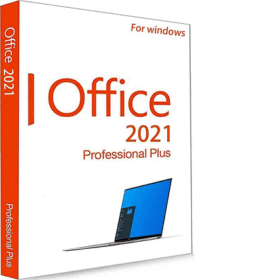
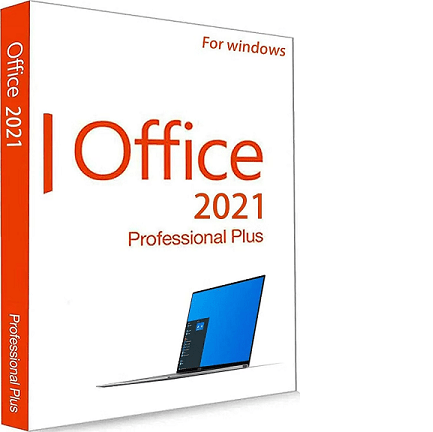
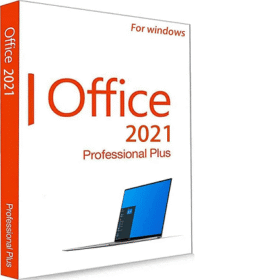
Office 2021 Professional Plus Phone
-77% Deal
Instant Delivery100% GenuineLifetime Valid24/7 Support
Office 2021 Professional Plus Phone
₹570.00Current price is: ₹570.00. Original price was: ₹2,499.00.
Save ₹1,929 (77% OFF)
In Stock — Instant Email Delivery (Under 60 Seconds)
- Pricing: Most economical lifetime Office 2021 license
- Activation: Automated Self-Service Web Activation Portal
- Apps: Word, Excel, PowerPoint, Outlook, Access, Publisher
- Device: 1 PC / Lifetime Validity
PlatformWindows 10 / 11
License TypeRetail License Key
Devices1 PC / Lifetime
UpdatesOfficial Vendor Updates
Available on Backorder - Official License Dispatched via Email within 2-4 Hours
Add to cart
Buy Now
Secured by RazorpayUPICardsNetBankingEMI
Office 2021 Professional Plus Self-Service Activation
Get all premium Office 2021 Pro Plus apps at the best possible price. Includes full perpetual access to Word, Excel, PowerPoint, Outlook, Access, and Publisher with automated web activation.
System Requirements:
- OS: Windows 10 or 11
- RAM: 4 GB RAM
- Storage: 4 GB free hard drive space
How to Install & Activate:
- Install Office 2021 from the provided official Microsoft download link.
- Open Word, type your product key, and choose “I want to activate the software by telephone”.
- Note down the 9 groups of numbers (Installation ID).
- Open the official Microsoft Self-Service Web Activation link provided in your email.
- Enter the Installation ID to instantly generate your Confirmation ID (Blocks A to H).
- Type the Confirmation ID into the wizard blocks on your screen and click Next. Done!
Related products
Office 365 Pro Plus (5 Devices)
₹550.00Current price is: ₹550.00. Original price was: ₹2,599.00.Devices: Up to 5 Devices simultaneously (PC, Mac, Tablet, Phone)Apps: Premium Word,...
1 PC / LifetimeRetail Key
Office Home & Business 2021 for Mac
₹9,998.00Current price is: ₹9,998.00. Original price was: ₹14,999.00.Hardware: Optimized for Apple Silicon (M1/M2/M3/M4) & Intel MacsAccount Bind: Permanent link...
1 PC / LifetimeRetail Key
Office 2024 Professional Plus Retail
₹1,360.00Current price is: ₹1,360.00. Original price was: ₹27,999.00.Apps: Word, Excel, PowerPoint, Outlook, Access & OneNote 2024License: 100% Genuine Retail...
1 PC / LifetimeRetail Key
Office 2021 Pro Plus Account Bind
₹9,198.00Current price is: ₹9,198.00. Original price was: ₹14,999.00.Account Bound: Links permanently to your personal Microsoft AccountTransferable: Re-download anytime on...
1 PC / LifetimeRetail Key
Microsoft Project 2021 Professional
₹998.00Current price is: ₹998.00. Original price was: ₹5,999.00.Tools: Interactive Gantt charts, resource leveling & task schedulingSync: Seamless Project Server...
1 PC / LifetimeRetail Key

Office 2016 Professional Plus Retail
₹658.00Current price is: ₹658.00. Original price was: ₹1,999.00.Compatibility: Runs on Windows 7, 8.1, 10 and 11Apps: Word, Excel, PowerPoint,...
1 PC / LifetimeRetail Key
Microsoft Visio 2021 Professional
₹998.00Current price is: ₹998.00. Original price was: ₹15,999.00.Diagrams: Flowcharts, network architectures, engineering schematicsStandards: BPMN 2.0, IEEE, and UML 2.5...
1 PC / LifetimeRetail Key
Office Home & Business 2019 for Mac
₹7,198.00Current price is: ₹7,198.00. Original price was: ₹12,999.00.Platform: macOS (Intel and Apple Silicon via Rosetta 2)Account Bind: Ties to...
1 PC / LifetimeRetail Key
Reviews
There are no reviews yet.